I Switched to the Asus Zenbook A16 and Here is What Happened
Introduction
The laptop market has undergone a significant transformation in recent years, moving away from the era of bulky desktop replacements toward a more refined, efficiency-first philosophy. In this evolving landscape, the Asus Zenbook A16 has emerged as a compelling subject of interest for professionals, students, and digital creators who demand a balance between screen real estate and true portability. Making the switch to a new primary machine is never a decision taken lightly, especially when moving from established 14-inch ultrabooks or 15-inch productivity staples to a 16-inch chassis that promises the best of both worlds. This article examines the transition to the Asus Zenbook A16, exploring how its design, performance, and thermal management handle the rigors of modern computing.
Understanding the "why" behind such a switch requires looking at the current state of professional workflows. Users are increasingly finding that 13-inch or even 14-inch displays, while excellent for travel, often lead to eye strain during long hours of data analysis, video editing, or multi-window research. However, the traditional 16-inch laptop was often too heavy or too power-hungry for those who frequently work from coffee shops or transit hubs. The Asus Zenbook A16 represents a modern response to this dilemma, utilizing the latest advancements in processor efficiency and lightweight materials to offer a large-format experience without the historical baggage of a "heavy" laptop. This analysis will delve deep into the technical specifications and real-world outcomes of integrating this machine into a daily professional routine.
Design and Build Quality: A New Era of 16-Inch Portability
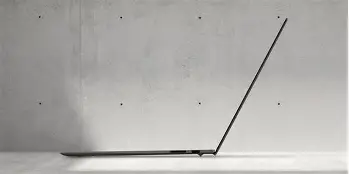
Upon unboxing the Asus Zenbook A16, the first thing any experienced user will notice is the striking balance between its physical footprint and its structural integrity. Asus has employed a high-strength aluminum alloy that provides a premium, tactile feel while keeping the weight surprisingly manageable. For anyone switching from a smaller device, the immediate concern is whether the extra two inches of screen diagonal translates into a cumbersome bag experience. Fortunately, the thin-bezel design minimizes the overall dimensions, making the A16 feel more like a traditional 15-inch laptop in terms of surface area.
The aesthetic is professional and understated, avoiding the aggressive styling often found in high-performance machines. The lid features a subtle monogram design that catches the light without being distracting in a boardroom environment. One of the most critical aspects of the Zenbook design philosophy is the hinge mechanism. In the A16, the hinge is tuned for smoothness, allowing for one-handed opening—a small but significant detail for power users—while maintaining enough tension to prevent screen wobble when typing on uneven surfaces or during travel on a train. The "ErgoLift" design, which slightly raises the rear of the laptop when open, serves the dual purpose of creating a more comfortable typing angle and improving airflow to the bottom intake vents.
Durability is another area where the switch to the A16 feels like an upgrade. The device is tested against MIL-STD 810H military-grade standards, covering drops, vibration, and temperature extremes. While most users hope never to test these limits, the knowledge that the chassis can withstand the pressure of a packed backpack or the vibrations of a long-haul flight provides peace of mind. The matte finish on the palm stays relatively clear of fingerprints, a common grievance with darker metallic laptops, ensuring the device looks as professional at the end of the day as it did at the start.
Display Performance: The 16-Inch Advantage
The centerpiece of the switch to the Zenbook A16 is, undoubtedly, the display. Moving from a standard FHD or even a high-density 14-inch screen to a 16-inch panel with a 16:10 aspect ratio significantly alters how one interacts with software. The 16:10 ratio is particularly beneficial for productivity, offering more vertical space for reading long documents, viewing more rows in an Excel spreadsheet, or managing a complex timeline in video editing software.
The color accuracy of the A16 is a high point for creative professionals. With 100% coverage of the DCI-P3 color gamut and Pantone Validation, the transition for a photographer or graphic designer is seamless. Colors appear vibrant and true to life, which is critical when producing work that will be viewed on various high-end consumer displays. Furthermore, the peak brightness is sufficient for working near windows or in bright office environments, though like most glossy or semi-glossy panels, direct sunlight can still produce some glare.
One of the most noticeable improvements when switching is the refresh rate. Many productivity laptops are still capped at 60Hz, but the A16 often features a higher refresh rate (targeting 120Hz or higher in many configurations). This makes every movement—from scrolling through a webpage to dragging windows across the desktop—feel fluid and responsive. It reduces eye fatigue during long sessions and makes the entire OS feel more modern and snappy. For those who juggle multiple tasks, the increased screen real estate allows for side-by-side window management that is truly functional, eliminating the constant "Alt-Tab" dance required on smaller screens.
Performance, Thermals, and Productivity
Under the hood, the Zenbook A16 is designed to handle "bursty" workloads and sustained productivity with equal competence. For most users making the switch, the performance leap comes from the integration of the latest silicon architectures, which prioritize efficiency without sacrificing peak power. Whether compiling code, rendering a 4K video, or running several virtual machines, the A16 stays remarkably composed. The transition to this device often reveals that older 14-inch machines were thermal-throttling much more than the user realized; the A16’s larger chassis allows for a more robust cooling system.
Looking for the best Laptops & Computers deals on Amazon?
Shop Amazon →Thermal management is where many 16-inch laptops fail, either becoming too hot to use on a lap or so loud that they disrupt a quiet office. Asus has implemented a dual-fan cooling system that intelligently manages fan curves based on the workload. In standard office tasks—emails, web browsing, word processing—the fans are virtually silent. When pushed, the noise profile is a low-frequency "whoosh" rather than a high-pitched whine, making it much less intrusive. Critically, the keyboard deck remains cool even under load, as the primary heat dissipation occurs through the rear and side vents, away from the user's hands.
The input experience is another area of refinement. The keyboard features 1.4mm of key travel, providing a tactile and satisfying typing experience that is often missing from ultra-thin competitors. The keys are well-spaced, which reduces the learning curve when switching from a different brand. The touchpad is expansive and uses glass for a smooth gliding experience. It supports all Windows Precision gestures, and the integrated "NumberPad" (in compatible models) is a boon for data entry professionals who miss the physical numpad of larger, heavier desktops.
Connectivity and Battery Life: The Real-World Impact
A laptop transition is often soured by the realization that one's existing peripherals no longer fit. The Zenbook A16 avoids this by offering a versatile array of ports. Unlike some ultra-slim laptops that force a "dongle life," the A16 typically includes a mix of USB-C (often with Power Delivery and DisplayPort support), USB-A for legacy devices, and a full-sized HDMI port. This makes it an ideal "switch-to" machine for users who frequently give presentations or connect to external monitors at home.
Battery life is perhaps the most surprising aspect of switching to a 16-inch device. Historically, a larger screen meant significantly shorter battery life. However, thanks to the massive battery capacity Asus squeezed into the frame and the power-saving features of modern processors, the A16 can reliably last through a full workday of moderate tasks. For users who are tired of carrying a charger to every meeting or searching for an outlet at the airport, the A16 represents a significant quality-of-life improvement. The inclusion of fast charging also means that even a short 30-minute charge can provide several hours of usage, which is essential for a mobile professional.
Comparison of the Zenbook A16 to Industry Standards
To better understand where the Asus Zenbook A16 sits in the market, it is helpful to compare it against the general categories of laptops that users are usually switching from. This table outlines the typical experience differences across key metrics.
| Feature | Standard 14" Ultrabook | Traditional 15.6" Office Laptop | Asus Zenbook A16 |
|---|---|---|---|
| Display Area | Good for single-window focus | Moderate; 16:9 ratio is cramped | Excellent; 16:10 for vertical depth |
| Portability | Superior; very light | Average; often bulky | High; optimized thin-and-light design |
| Thermal Space | Limited; prone to throttling | Good, but often inefficient fans | Superior; dual-fan optimized cooling |
| Build Quality | High, but delicate | Variable; often plastic-heavy | Mil-Spec tested aluminum alloy |
| Input Experience | Compact keyboard, small pad | Full keyboard, offset trackpad | Centered keyboard, large glass pad |
Pros and Cons
No laptop is perfect, and making the switch involves weighing the advantages against the inevitable trade-offs. Here is a breakdown of what to expect with the Asus Zenbook A16.
Pros
- Large 16-inch 16:10 display provides significantly more usable workspace than smaller alternatives, perfect for multitasking and creative production.
- Surprisingly light and thin profile for its class, making it one of the most portable 16-inch machines on the market today.
- Excellent thermal performance allows the processor to maintain high speeds for longer periods without the noise levels associated with gaming laptops.
- Premium build quality with military-grade durability ensures the device can handle the rigors of frequent travel and daily commuting.
- Versatile port selection includes both modern and legacy connections, reducing the need for external adapters and hubs.
- Outstanding battery life for a large-format device, often exceeding the endurance of smaller, less efficient laptops.
Cons
- The 16-inch footprint, while slimmed down, may still be too large for some smaller airplane tray tables or very compact bags.
- Glossy screen options can be prone to reflections in high-glare environments, which might bother users used to matte finishes.
- While the audio quality is good, it may lack the deep bass response found in thicker, more "multimedia-focused" 16-inch machines.
- Users coming from 13-inch laptops will notice the extra weight, even if the A16 is light for its category.
Buying Guide: Is the Zenbook A16 Right for You?
Before committing to the switch, it is important to identify your specific needs and how they align with the A16's strengths. This machine is not a "one-size-fits-all" solution, but it targets a very specific and growing demographic of users.
The Creative Professional
If you spend your time in Adobe Creative Suite, DaVinci Resolve, or Figma, the A16 is a top-tier candidate. The color-accurate screen is a non-negotiable requirement for this work, and the extra vertical space in the 16:10 aspect ratio allows for more layers, more tools, and a better view of your canvas. The performance overhead ensures that you aren't waiting for the computer to catch up with your creative process.
The Business Executive
For those who spend their days in spreadsheets, presentations, and video calls, the A16 offers a level of sophistication and utility. The large display is excellent for "split-screening" a Zoom call on one side and your notes on the other. The professional design fits into any corporate environment, and the battery life ensures you won't be that person hunting for a plug in the middle of a strategic meeting.
Find top-rated Laptops & Computers products at great prices.
See Deals →The Engineering Student
Students often need a machine that can last all day on campus but also has the power to run CAD software, MATLAB, or heavy IDEs. The Zenbook A16’s build quality means it can survive the "stuffed-in-a-backpack" lifestyle, while its performance characteristics handle technical software much better than an entry-level student laptop would. The large screen is particularly helpful when looking at complex circuit diagrams or dense lines of code.
Key Considerations Before Buying
When selecting your specific configuration, pay close attention to the RAM and storage options. Because modern ultrabooks—including the Zenbook line—often have soldered memory, you should opt for at least 16GB (or 32GB for creators) at the time of purchase to future-proof your investment. Similarly, while the A16 is portable, measure your favorite laptop bag before buying to ensure it can accommodate the 16-inch width comfortably.
The Real-World Experience: What Happened After the Switch?
The journey of switching to the Asus Zenbook A16 usually follows a predictable but satisfying arc. The first few days are spent marveling at the screen size; tasks that felt cramped on a 14-inch machine suddenly breathe. You might find yourself working faster because you no longer have to minimize windows to see what’s going on in the background. The keyboard becomes familiar quickly, and the silence of the fans during daily tasks becomes the new baseline that you eventually take for granted.
After a month, the most significant "events" are the things that don't happen. You don't get as many headaches because you aren't squinting at tiny fonts. You don't feel a panic when you realize you left your charger at home because you know the battery has your back. You don't worry about the laptop bending in your bag because the chassis feels solid. The switch to the A16 eventually feels less like an upgrade and more like a correction—it’s the way mobile computing should feel: expansive, capable, and unencumbered by the limitations of the past.
For those who have been hesitant to move to a larger screen for fear of losing their mobility, the Zenbook A16 proves that the trade-off is no longer a requirement. The engineering have caught up to the ambitions of the user. While there is a slight adjustment period for the physical size, the benefits of the visual experience and the thermal stability far outweigh the minor increase in bag space. It is a machine that facilitates focus, allowing the hardware to fade into the background while the work takes center stage.
Conclusion
Transitioning to the Asus Zenbook A16 represents a shift in how one perceives the "perfect" laptop size. For years, the industry pushed the idea that 13 and 14 inches were the only options for true professionals on the move. The A16 disrupts this narrative by proving that a 16-inch device can be just as sleek, just as durable, and just as long-lasting while providing a significantly superior visual canvas. It addresses the real-world cares of buyers—portability, screen quality, and thermal efficiency—without resorting to the gimmicks often found in the ultra-portable market.
In the final analysis, "what happened" when switching to the Zenbook A16 was a noticeable increase in daily comfort and productivity. The combination of the 16:10 color-accurate display, the refined input methods, and the robust battery life creates a machine that feels consistent across all use cases. Whether you are a creative looking for a mobile studio or a business professional seeking a more ergonomic way to work, the Zenbook A16 stands as a testament to how far thin-and-light engineering has come. It is a mature, well-realized tool that makes a compelling argument for the 16-inch form factor as the new gold standard for high-end productivity.